
NGP.emu (Neo Geo Pocket)
Robert BrogliaArcade
4.638.00 Reviews
- Version
- Varies With Device
- Installs
- 10.00K
- Age Rating
- Everyone
Screenshots
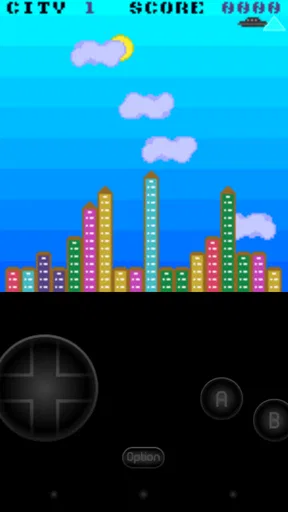
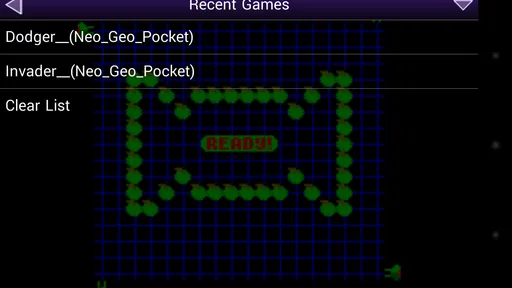
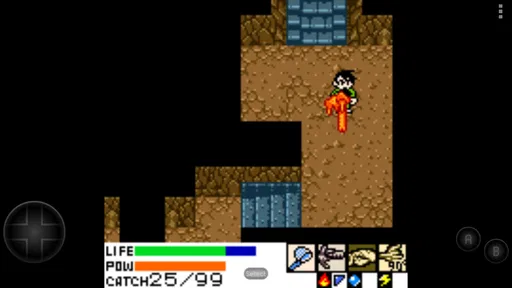
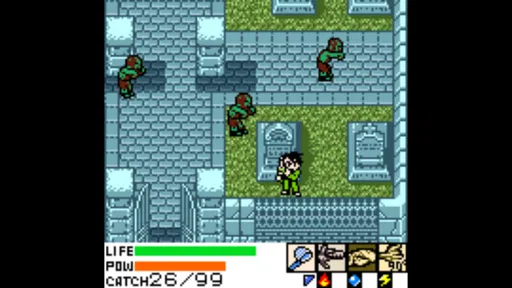
Our Review of NGP.emu (Neo Geo Pocket)
 Analysis by Appyee
NGP.emu is the kind of arcade game emulator I would recommend to a very specific player: someone who already owns or legally dumped Neo Geo Pocket Color games and wants a focused way to play them on Android. It is not trying to be a modern arcade collection, a broad retro hub, or a beginner-friendly history lesson. Its appeal comes from concentration. Robert Broglia’s app puts one handheld library at the center, and that narrow purpose makes it feel more deliberate than many all-in-one emulator packages.
After spending time with it, my overall view is positive but conditional. The emulation experience is the main reason to consider it, while the price and the need to manage your own game files make it less attractive for casual curiosity. The app costs $4.99, carries an Everyone age rating, and has built a solid reputation with a 4.6 average from around 216 ratings. Those figures suggest that its audience generally knows what it wants: a dependable Neo Geo Pocket Color solution rather than a large catalog of ready-to-play content.
Why this focused emulator works so well
The first strength is that NGP.emu does not bury the Neo Geo Pocket Color identity under unrelated systems. When I use a dedicated emulator, I want the menus, controls, display choices, and general workflow to serve the same type of games. That focus matters here because the handheld’s games were designed around a small screen, compact controls, and short sessions. A general emulator may technically cover the same platform, but it often makes the experience feel like one item in a long checklist.
That difference becomes noticeable when I move between several games in a single sitting. A focused app encourages me to think in terms of a library rather than isolated files. I can keep the experience centered on Neo Geo Pocket Color titles, adjust the presentation for the screen I am using, and return to the same kind of controls each time. It feels less like configuring a laboratory and more like opening a small digital handheld.
The app’s category is arcade, which is a fair description of its practical use. Neo Geo Pocket Color software includes quick-action games that suit short bursts, and an emulator is especially useful when I want to play for a few minutes without carrying original hardware. A commute, a waiting room, or a quiet break at home becomes a reasonable setting. The small scale of the games works in the emulator’s favor instead of making the experience feel incomplete.
One useful habit is to treat the first setup as part of the ownership experience rather than expecting instant play. I would organize legally obtained game files into a simple folder before opening the app, using clear names that make sense on a touchscreen. That small step saves time later, especially if the library contains several versions or games with similar titles. It also makes the emulator feel much more like a maintained collection and less like a temporary experiment.
Another practical advantage is the ability to tailor the display to the game and the device. Neo Geo Pocket Color visuals can look charmingly crisp when presented at a sensible scale, but they can also become uncomfortable if stretched carelessly across a modern phone. I prefer starting with a clean, proportional view and only enlarging it when the image remains easy to read. On a tablet, a larger presentation may be comfortable; on a narrow phone, preserving the original shape usually feels more faithful.
That is one of the less obvious trade-offs with any handheld emulator: the biggest image is not always the best image. The original games were built around a compact display, and enlarging every pixel aggressively can make simple artwork look harsh. I get better results by choosing a view that leaves enough room for the controls and does not force my eyes to scan an oversized image. NGP.emu is most enjoyable when I treat the screen as a recreation of a handheld, not as a television trying to imitate one.
Controls are another area where the app’s purpose becomes clear. Touch controls are convenient, but they cannot completely reproduce the feel of the original handheld buttons. For slower games, that is rarely a serious problem. For action-heavy arcade titles, quick directional changes and repeated button presses can expose the limits of playing on glass. I would use the on-screen layout for travel and short sessions, but I would strongly consider a compatible physical controller if a particular game depends on fast, precise input.
This is also where I see a meaningful distinction between NGP.emu and a traditional handheld collection. Original hardware gives the buttons a physical separation that your fingers can recognize without looking. The emulator gives you flexibility, save convenience, and portability, but the touch surface asks for more visual attention. If your priority is authentic tactile control, original hardware or a dedicated controller may be the better choice. If your priority is having the library available on the device already in your pocket, the compromise is easier to accept.
I also appreciate the value of a dedicated emulator for preserving a consistent routine. I can play a short round, stop, and return later without unpacking hardware or changing cartridges. That matters for games that are easy to enjoy in small pieces. Instead of waiting for a long uninterrupted evening, I can fit the experience into the gaps of an ordinary day. The app is at its best when convenience supports the original design rather than replacing it with a completely different way to play.
The practical workflow I would use
My preferred workflow is simple. I would first create a clear folder for legally backed-up Neo Geo Pocket Color games, then keep the files named in a way that is easy to read from the phone. After opening NGP.emu, I would test one game before importing or organizing the rest. That first test is useful because it lets me judge the touch layout, screen size, and overall comfort before spending time arranging the entire collection.
I would then make a separate choice for quick sessions and longer sessions. For a few minutes of play, the default touchscreen controls are usually the most convenient because there is nothing extra to carry. For a longer session, I would connect a physical controller if available and position the phone so my hands are not covering too much of the display. This two-mode approach avoids expecting one control method to suit every game.
There is also a preservation benefit to keeping the library tidy. Clear file names and a stable folder structure make it easier to move your collection between devices or restore it after changing phones. I would avoid scattering files across downloads, messaging attachments, and temporary folders. That is not a glamorous feature, but it is the kind of maintenance that determines whether an emulator remains enjoyable months later.
For someone new to emulation, the most important point is that NGP.emu is a player for your own legally obtained game files, not a substitute for acquiring games through unofficial sources. That distinction affects the whole buying decision. If you expect to install the app and immediately receive a catalog, this is not the experience you are looking for. If you already have a legitimate collection and want a convenient way to use it, the app’s focused design makes much more sense.
Where the experience starts to show its limits
The biggest weakness is not necessarily emulation quality; it is the amount of responsibility placed on the user. A dedicated emulator assumes that you understand game files, folders, and basic setup. Even when the app itself is straightforward, the surrounding process can feel technical to somebody who has never used an emulator. The purchase removes one barrier, but it does not turn the entire experience into a plug-and-play game service.
That makes the $4.99 price easier to justify for an enthusiast than for a curious newcomer. I see the cost as a payment for a specialized tool, not for a collection of games. If I were only interested in trying one title for a few minutes, I would hesitate. If I expected to revisit a personal library over time, the focused app would offer more lasting value than repeatedly searching for a free but less comfortable alternative.
Touch controls remain the second important limitation. They are useful, but they can make certain games feel less precise than they did on original hardware. The problem is not that the screen controls are unusable; it is that glass has no physical landmarks. I sometimes find myself checking my thumb position or pressing slightly away from the intended area, particularly when the action becomes quick. A controller improves this, but then the simple “phone in my pocket” advantage becomes less complete.
Screen size can create a similar compromise. A phone provides portability, yet the original handheld’s display was already small. If I enlarge the game too much, the image may lose the neat, compact character that makes the system distinctive. If I keep it close to its original scale, some players may find text and details less comfortable. This is a personal balance, and people with larger phones or tablets will have an easier time finding a pleasing presentation.
I would also avoid judging the app by the standards of modern console emulators. NGP.emu is not valuable because it offers an elaborate visual showcase or a giant collection of systems. Its job is narrower. Comparing it directly with a broad multi-system emulator can make it look limited, but that comparison misses the reason to choose it. The relevant question is whether you want a clean home for Neo Geo Pocket Color games, not whether it replaces every other retro tool.
Conversely, a broad emulator may be the better choice if your interests jump constantly between handhelds, consoles, and arcade machines. One app can be more convenient than maintaining several specialized tools, especially if you are still exploring different platforms. The trade-off is that a general solution may require more menus, more system-specific settings, and more compromises in how each library is presented. I prefer NGP.emu when the Neo Geo Pocket Color is the destination rather than a stop along the way.
Who will get the most from it
I think the best audience is an existing retro player who values portability and a tidy, dedicated experience. If you remember the Neo Geo Pocket Color fondly, collect its games, or simply want to explore its library through legitimate backups, this app has a clear purpose. It is also a good fit for someone who enjoys short arcade sessions and does not need modern progression systems, online competition, or a large built-in content store.
A realistic everyday scenario would be a player keeping a small selection on an Android phone for a train ride. Before leaving home, I would choose a few games rather than copying the entire collection, check that the controls feel comfortable, and use the app for short sessions during the journey. The value is not only that the games run on a phone; it is that the focused library makes choosing something quick. I spend less time browsing unrelated systems and more time playing.
It can also suit collectors who want a second way to experience games without handling aging hardware every time. Original devices have a special charm, but they are not always the most practical option for travel or casual play. NGP.emu provides convenience while allowing the player to keep the original collection as the primary reference point. I would see it as a companion to physical ownership, not a replacement for the feel and history of the hardware.
On the other hand, I would tell a complete beginner to pause before buying. If you do not already understand how legal game backups work, the setup may be more effort than you expect. Someone looking for a free, instant catalog should skip this app and choose a legitimate collection or modern retro release with games included. Someone who wants a premium-looking console interface, online features, or a single app covering every classic platform should also look elsewhere.
The Everyone age rating makes the app broadly suitable from a content standpoint, but that does not mean every game in a personal library will appeal to every player. The experience depends heavily on which titles you bring to it and how comfortable you are with retro design. I would recommend it to families only when an adult is handling the file organization and setup, while the player’s enjoyment will still depend on whether they like older arcade-style games.
How it compares with the usual alternatives
The most obvious alternative is original Neo Geo Pocket Color hardware. That option wins for tactile authenticity, screen character, and the feeling of using the system as it was designed. NGP.emu wins for convenience: one modern device can hold the experience, and you do not need to carry a separate handheld. My choice would depend on the occasion. For collecting and nostalgia, original hardware has the stronger emotional pull. For everyday access, the emulator is more practical.
A free multi-system emulator is another alternative. It may appeal to players who want to experiment with many platforms without paying for a specialized tool. However, free does not automatically mean easier or better. A broad app can introduce more configuration choices and a less focused library workflow. I would choose that route if I wanted variety above all else, but I would choose NGP.emu if I wanted the Neo Geo Pocket Color experience to feel like a deliberate collection.
Modern commercial retro compilations can be more approachable because they usually package the games, menus, and presentation together. They are better for someone who wants to purchase a finished product and start playing immediately. The emulator is more flexible for people who already own the relevant games, but that flexibility comes with responsibility. In simple terms, a compilation is a ready-made meal, while NGP.emu is a well-organized kitchen tool: more dependent on what you bring to it, but useful when you already have the ingredients.
Robert Broglia’s name is important here because the app is clearly positioned as a specialized emulator rather than a casual novelty. It was released on Sep 23, 2011, and its continued presence, alongside over 10K installs, gives it the profile of an established niche tool rather than a brand-new experiment. I would not treat age alone as proof of quality, but it does help explain why the app feels aimed at people who already understand retro gaming workflows.
The store short description, “NGP.emu,” is as spare as the app’s concept. That simplicity is honest: there is no attempt to disguise the product as a full game service. The store summary identifies it as a Neo Geo Pocket Color emulator, and that is exactly how I would frame the purchase. You are paying for access to a focused playing environment, not for a large set of included content or a modern arcade subscription.
My recommendation after using it
I would buy NGP.emu if I had a legitimate Neo Geo Pocket Color library, preferred Android for portable play, and cared more about a focused workflow than about having every retro system in one place. I would probably pair it with a physical controller for longer sessions, while keeping touchscreen play for travel. I would also spend a few minutes organizing files and testing the display before deciding whether the app fits my habits.
I would skip it if I wanted instant access to games, disliked managing files, or expected touch controls to feel exactly like original buttons. Those are not minor details; they shape the entire experience. The app rewards preparation and a clear interest in this particular handheld. It is less convincing as an impulse purchase for somebody who has only seen the name and wants to browse a few classics.
With a 4.6 average from around 216 ratings and a price of $4.99, it sits in a reasonable position for a specialized arcade emulator, provided the buyer understands what is being purchased. The rating reflects a generally satisfied audience, while the price makes the most sense when the app will be used repeatedly rather than once. I see the value in the combination of focused design, portability, and a library-centered workflow.
My final verdict is that NGP.emu is a strong niche recommendation, not a universal retro-gaming answer. It respects the Neo Geo Pocket Color’s compact identity and makes short sessions easy, but it asks the user to bring legitimate game files and accept the compromises of touch controls and modern screens. If you already want this specific handheld library on your Android device, NGP.emu is worth considering; if you want a complete, effortless game package, choose a different kind of product.
Verdict
Strengths of NGP.emu (Neo Geo Pocket)
- Accurate emulation of Neo Geo Pocket and Color titles
- Save states make it easy to resume games instantly
- Supports customizable on-screen controls and external controllers
- Fast-forward and rewind features improve convenience
- Low resource usage works well on many Android devices
Limitations of NGP.emu (Neo Geo Pocket)
- Performance and compatibility may vary between different games
- Touch controls can feel cramped during fast-paced action
- Requires legally obtained game files; no games are included
- The interface may feel dated and less intuitive for newcomers
- Some advanced emulator settings require trial and error
Other Releases by Robert Broglia
View All
Snes9x EX+
Arcade4.2

MD.emu (Genesis Emulator)
Arcade4.2

NES.emu (NES Emulator)
Arcade4.3

GBA.emu (GBA Emulator)
Arcade4.3
Similar Picks in This Category
View All
Subway Surfers
SYBO Games4.6

Stickman Party 234 MiniGames
PlayMax Game Studio4.6

Subway Princess Runner
Ivy4.4

Temple Run
Imangi Studios4.2

Zombie Tsunami
Mobigame SAS4.6

Stack Ball - Crash Platforms
CASUAL AZUR GAMES4.5
Frequently Asked Questions
What is NGP.emu, and which systems does it emulate?
NGP.emu is an emulator designed to run games from SNK’s Neo Geo Pocket and Neo Geo Pocket Color handheld systems on compatible Android devices. After testing its interface and settings, it feels aimed at users who already own game cartridges and want a convenient digital way to play them. It does not include commercial games, so you must provide your own legally obtained ROM files.
Does NGP.emu include Neo Geo Pocket games or ROM files?
No. NGP.emu is an emulator application, not a game library. It does not normally provide Neo Geo Pocket or Neo Geo Pocket Color ROMs, and downloading copyrighted games from unofficial sources may violate copyright law. To use the app responsibly, create or use backups of games you own and check the laws applicable in your country before transferring any files to your device.
What features does NGP.emu offer for playing games?
NGP.emu provides the core features expected from a portable-console emulator, including customizable on-screen controls, support for external controllers, save states, and options for adjusting display and performance behavior. The interface is relatively practical rather than flashy, making it easy to load games and resume progress. Available features can vary depending on the app version and your Android device.
Does NGP.emu work well on modern Android phones and tablets?
In general, Neo Geo Pocket games are lightweight, so NGP.emu should run smoothly on many modern Android phones and tablets without demanding powerful hardware. Performance can still depend on the device, Android version, ROM quality, and selected settings. If you experience audio glitches, input problems, or crashes, updating the app, changing video options, or testing another legally obtained game dump may help.
Is NGP.emu easy to set up for beginners?
The initial setup is fairly straightforward, but beginners should understand that the emulator requires legally obtained game files and may need permission to access the folder where those files are stored. You typically select a game directory, load a ROM, and configure controls if necessary. The default virtual buttons are usable, although an external Bluetooth controller can provide a more comfortable experience.
Play our best games!


